
Modern computing environments depend heavily on speed, reliability, and the ability to process multiple workloads at the same time. Whether it is a large data center managing enterprise applications or a personal laptop handling daily productivity tasks, memory plays a direct role in overall system performance. Choosing the right Computer Memory Solutions is essential for ensuring smooth operations, faster processing, and long-term system stability.
From scalable server infrastructure to portable devices and high-performance desktops, memory requirements vary widely. Understanding which solutions work best for each environment helps businesses and individuals maximize efficiency without unnecessary hardware costs.
Understanding the Role of Memory Across Systems
Memory is like a temporary workspace where your system handles active data. The better and faster this workspace is, the quicker your computer can run programs and switch between tasks. Good memory helps apps open faster, files load smoothly, and multiple programs run at the same time without slowing down. If your memory is too small or slow, your system can lag, freeze, or take longer to complete tasks, which makes work or gaming less efficient.
A reliable memory setup improves:
- Application responsiveness
- Data processing speed
- System stability
- Multitasking efficiency
- Workflow continuity
Memory Solutions for Data Centers
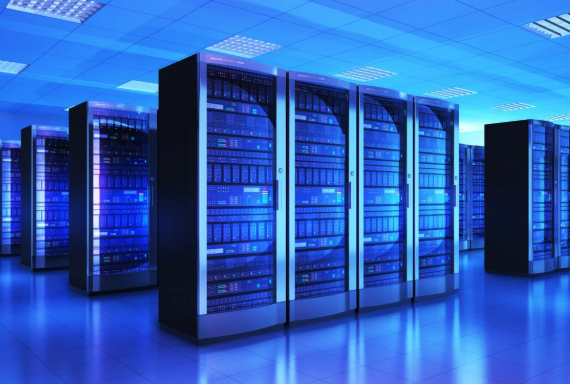
Memory solutions for data centers are designed to handle large-scale workloads, virtualization, and enterprise applications with high efficiency. They provide the capacity and speed required to manage multiple servers and databases simultaneously without performance lag. Advanced configurations such as ECC and registered memory ensure data accuracy and system stability. Scalable upgrade options also allow data centers to expand infrastructure as operational demands grow.
High-Capacity Server Memory
Server infrastructures require large memory pools to support multiple virtual machines and applications. High-capacity modules allow data centers to scale workloads without compromising performance.
Benefits include:
- Increased VM density
- Faster database access
- Smooth cloud deployment
- Efficient resource allocation
ECC Registered Memory
Error-correcting memory is essential in enterprise environments. ECC technology detects and corrects data corruption before it impacts operations.
This ensures:
- Data integrity
- System uptime
- Operational reliability
Many enterprise clients source tested server-grade inventory from providers like RAM Exchange to maintain performance while managing infrastructure costs.
See also: Fire Risk Assessment: A Professional Guide to Protecting Lives, Property, and Business Continuity
Scalable Upgrade Flexibility
Data centers often expand in phases. Flexible memory solutions allow incremental upgrades without replacing entire server systems, improving budget efficiency.
Memory Solutions for Laptops
Laptops balance portability with performance. Memory upgrades can significantly improve responsiveness, especially for users handling multitasking workloads.
Productivity and Office Work
Upgrading laptop memory supports smoother performance when running:
- Video conferencing platforms
- Cloud-based tools
- Spreadsheets and presentations
- Web browsers with multiple tabs
Creative and Student Workloads
Students and creative users benefit from expanded memory when using editing tools, design platforms, or research-heavy workflows.
Improved memory capacity enables:
- Faster file access
- Smooth editing previews
- Efficient multitasking
Reliable upgrade sourcing through vendors such as RAM Exchange helps extend laptop lifespan without replacing the device.
Memory Solutions for Desktops
Memory solutions for desktops help improve speed, multitasking, and overall system performance. They allow users to run multiple applications, edit media, and play games smoothly without slowdowns. High-capacity and high-speed modules ensure faster data access and stable performance. Upgrading desktop memory is a simple way to boost productivity and get the most out of your system.
Gaming Configurations
Gaming desktops require memory that can handle real-time rendering, AI processing, and background applications.
Optimized desktop memory enables:
- Stable frame rates
- Faster load times
- Smooth open-world gameplay
- Efficient streaming support
Professional Workstations
Workstations used for engineering, video production, and software development demand high memory capacity.
Key advantages include:
- Faster rendering
- Stable simulation processing
- Efficient multitool workflows
- Reduced system crashes
High-performance desktop upgrades sourced from RAM Exchange support professionals working with resource-intensive applications.
Choosing the Right Capacity
Selecting the correct capacity is critical for balancing performance and cost.
General recommendations include:
- 8GB for basic computing
- 16GB for multitasking and gaming
- 32GB for editing and development
- 64GB+ for enterprise workloads
Speed and BandwCompatibility and System Integration
Before upgrading memory, compatibility must be evaluated carefully.
Important factors include:
- Motherboard support
- Processor generation
- Maximum capacity limits
- Form factor requirements
Energy Efficiency and Thermal Performance
Modern memory solutions are designed to operate efficiently while minimizing heat output.
Energy-efficient modules provide:
- Lower operational costs
- Reduced cooling requirements
- Improved system longevity
Cost-Effective Upgrade Strategies
Memory upgrades remain one of the most affordable ways to improve performance across devices.
Benefits of targeted upgrades include:
- Extended hardware lifespan
- Delayed infrastructure replacement
- Improved productivity
- Better ROI on IT investments
Future Trends in Memory Solutions
As computing evolves, memory technology continues advancing to support emerging workloads.
Key trends include:
- AI-optimized memory configurations
- Higher-density server modules
- Improved power efficiency
- Edge computing support
Conclusion
From enterprise data centers to personal laptops and high-performance desktops, memory remains the backbone of system efficiency. Selecting the right Computer Memory Solution enables faster processing, smoother multitasking, and long-term operational stability across all computing environments. Whether you are expanding server infrastructure, upgrading portable devices, or optimizing workstation performance, the right memory strategy can transform productivity.
Get in touch today to explore reliable upgrade options and expert support tailored to your performance needs. Reach out to our team to discover scalable memory solutions designed for your systems.


 By
By